
GEO desktop tool
GEO tools for AI search visibility.
GEO-SOP is a generative engine optimization tool that collects ChatGPT, Claude, Perplexity, Google AI and other AI answers, screenshots, references, and brand exposure signals from one local desktop workspace.
Built for GEO tools, AI SEO tools, answer-engine visibility, and brand mention monitoring workflows.
Commercial workspace
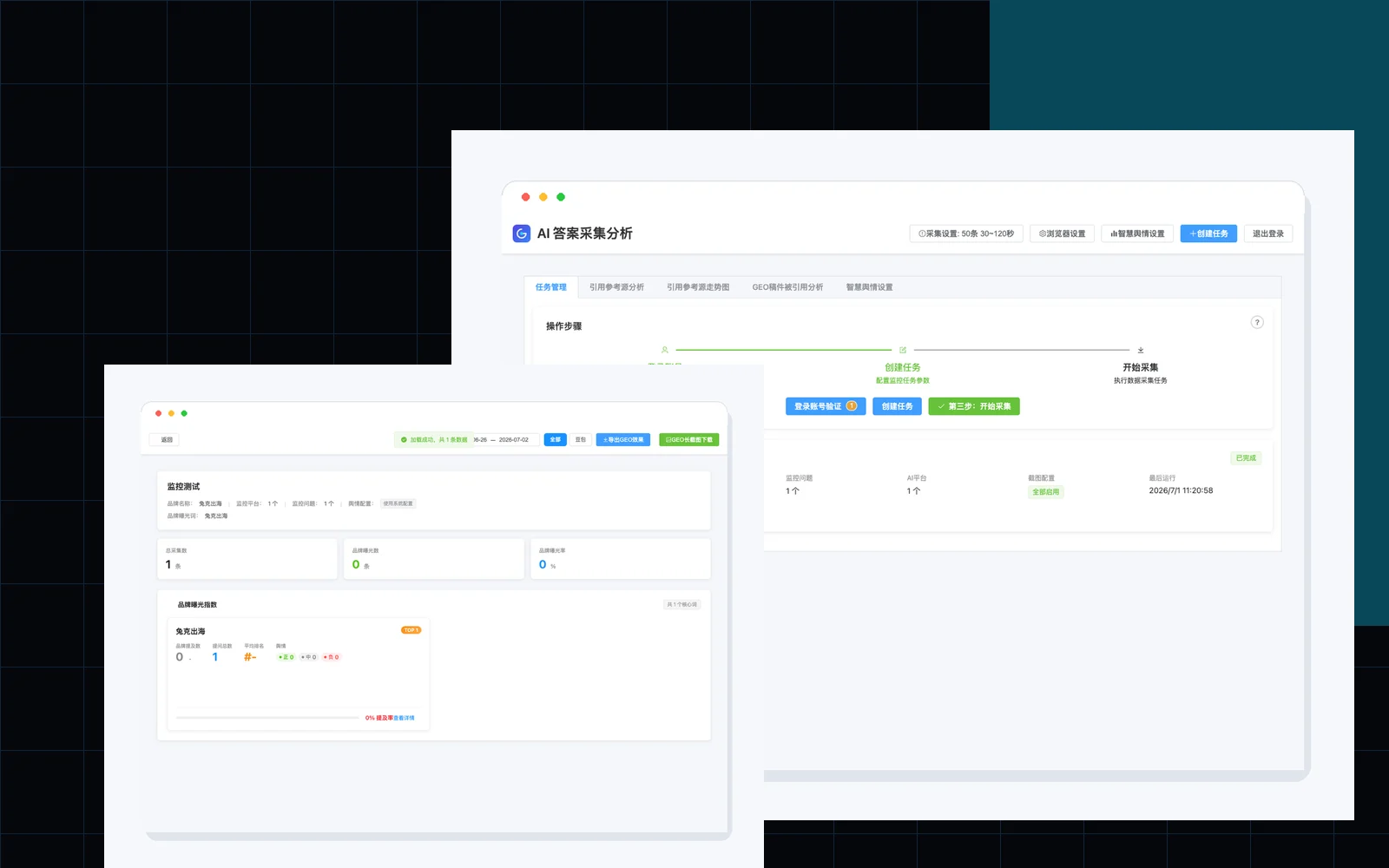
From collection to next actions.

What this GEO tool measures
Track how answer engines mention, rank, and cite your brand.
Use GEO-SOP to run repeatable prompts, capture evidence, compare AI answers, export local reports, and review whether your brand appears in AI search results for target topics.
AI analysis
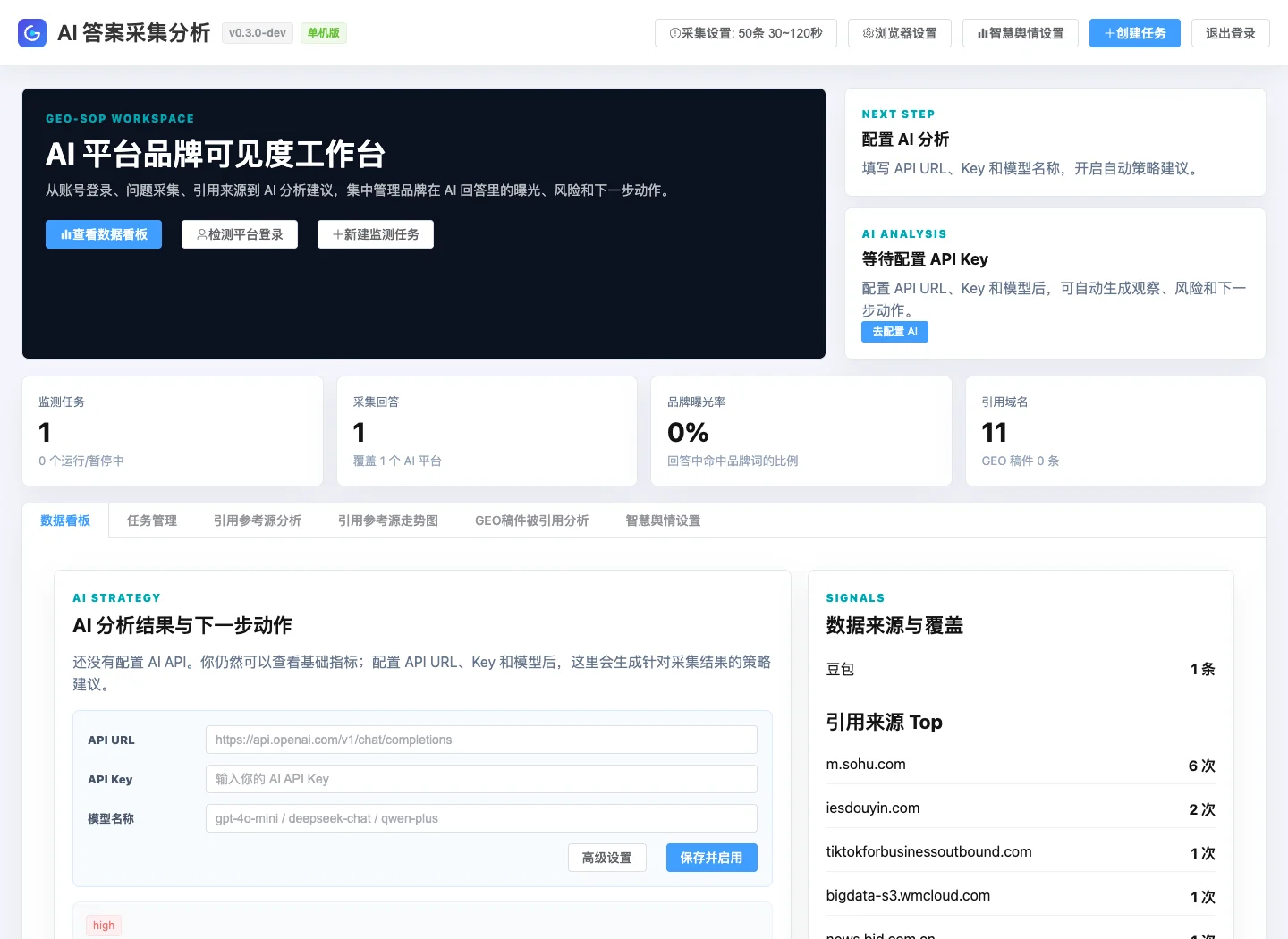
Bring your own API key. Get next actions.
API URL + Key setup
Model name input
Fallback guidance without a key
AI observations and next actions
What is new
Adds the redesigned commercial workspace, KPI dashboard, quick AI API setup, next-action guidance, and rebuilt macOS/Windows development packages.
Roadmap
A simpler path to a commercial desktop product.
We keep the public roadmap intentionally short: current desktop preview, customer beta, then signed commercial release. Detailed patch notes stay in the changelog.
v0.3-dev
Desktop preview for local collection, screenshots, exports, KPI dashboard, and AI analysis setup.
v0.4-beta
Customer beta with guided onboarding, stronger collection reliability, Windows installer readiness, and cleaner local data management.
v1.0
Signed macOS and Windows installers, stable collection/export/dashboard/AI workflows, public docs, support channel, and upgrade policy.
Core scorecard, chart-based insights, AI next actions, reliable exports, and clear saved file locations.
Guided first run, platform login recovery, queue-based collection, Windows installer, backup/restore, and smoke tests.
Apple notarization, Windows code signing, checksums, release notes, support documentation, and safe upgrade policy.
v0.3.x-dev
Active desktop preview updates: export path visibility, OpenAI/Anthropic provider modes, DeepSeek handling, AI loading feedback, and compact analysis dashboard.
Current release
UI refresh, data dashboard, AI analysis setup, and improved desktop workflows.
v0.2.0
Desktop version metadata, macOS DMG packaging, export state improvements, safer API key logs.
Security Notice
Unsigned builds may trigger system warnings.
This release is locally signed but not yet Apple-notarized or Windows code-signed, so macOS or Windows may warn that the publisher cannot be verified.
macOS
Gatekeeper
Testing workaround: right-click the app and choose Open, or remove quarantine on the mounted DMG app.
xattr -dr com.apple.quarantine
"/Volumes/GEO-SOP/GEO-SOP.app"
Production fix: Apple Developer ID signing + notarization.
Windows
SmartScreen
Testing workaround: click More info, then choose Run anyway when the warning appears.
Production fix: OV/EV code signing certificate + signed installer.
GEO tools FAQ
Questions people ask before using a GEO tool.
What is a GEO tool?
A GEO tool helps teams monitor how generative engines and AI search systems answer questions about brands, categories, competitors, and buying decisions.
Does GEO-SOP replace Google SEO tools?
No. Use it beside Google Search Console, crawlers, rank trackers, and analytics. GEO-SOP focuses on AI answers, screenshots, references, and local evidence collection.
Which GEO keywords should I test?
Start with buyer questions, category comparisons, brand alternatives, local market prompts, and problem-solution queries that your customers may ask ChatGPT or other AI tools.